In an increasingly digital world, communication platforms like WhatsApp have become primary channels for daily personal interaction. Consequently, inquiries surrounding digital transparency, smartphone monitoring, and chat backup management have grown significantly. Whether you are managing family safety, auditing device backups, or seeking to understand mobile data sync mechanics, understanding how WhatsApp stores and transfers data is essential.
This guide explores the technical, legal, and legitimate methodologies used to access, export, and review WhatsApp chat logs across Android and iOS devices.
Understanding WhatsApp’s Data Architecture & Security
Before exploring monitoring methods, it is vital to understand WhatsApp’s underlying security protocol.
WhatsApp employs End-to-End Encryption (E2EE) based on the Signal Protocol. This protocol ensures that messages are encrypted on the sender’s device and decrypted only on the recipient’s device. Neither third parties nor WhatsApp servers can read these messages in transit.
[ Sender Device ] ---> ( Encrypted Payload ) ---> [ WhatsApp Server ] ---> ( Encrypted Payload ) ---> [ Recipient Device ]
As a result, viewing chat logs relies entirely on accessing the endpoints—the physical devices, authorized linked sessions, or cloud backups.
Method 1: Utilizing WhatsApp Web & Linked Devices
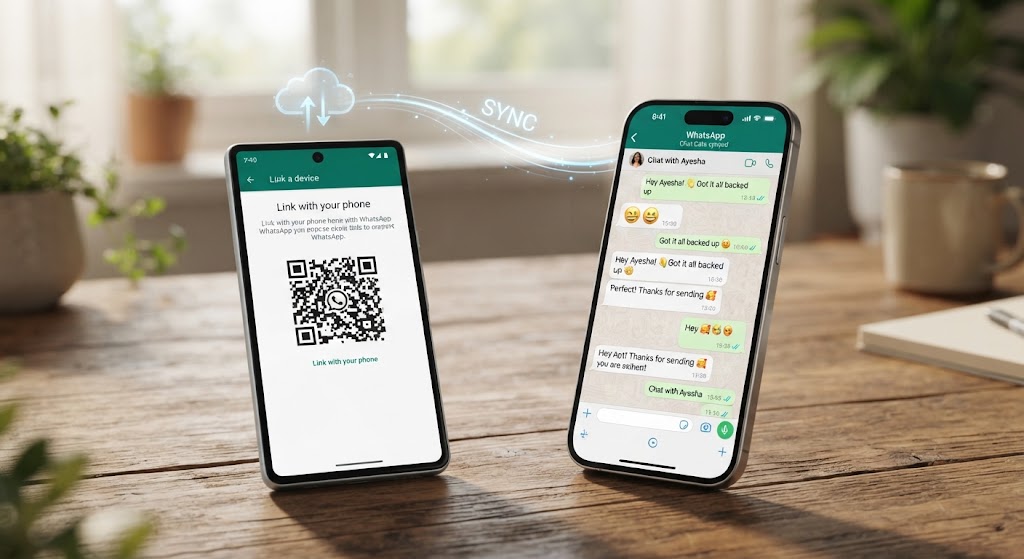
The official and most reliable way to mirror WhatsApp activity across devices is through WhatsApp’s native Linked Devices feature. This utilizes multi-device architecture to maintain a synchronized session.
Technical Overview
WhatsApp allows a single account to be active on up to four secondary devices simultaneously without requiring the primary phone to stay online.
Step-by-Step Implementation
- Access Web Portal: Open a modern web browser on the desktop or secondary device and navigate to
web.whatsapp.com. - Initiate Pairing: On the target primary device, open WhatsApp, go to Settings (iOS) or the Three Dots Menu (Android), and select Linked Devices.
- Scan QR Code: Tap Link a Device and scan the QR code displayed on the secondary screen.
- Data Synchronization: Once authenticated, recent message histories, media files, and voice notes will synchronize automatically.
Note on Visibility: WhatsApp regularly displays a persistent system notification on the mobile device indicating that an active web or desktop session is running.
Method 2: Cloud Backup Retrieval & Extraction
If direct physical access to the device is limited but account credentials or system access is available, chat histories can be recovered via cloud storage services.
Android: Google Drive Backups
- Verification: Ensure the WhatsApp account is configured to back up to Google Drive (Settings > Chats > Chat Backup).
- Restoration Process: Reinstall WhatsApp on a new or reset device registered with the same phone number.
- Authentication: Enter the verification code sent via SMS.
- Restore Prompt: When prompted, select Restore to download and decrypt the conversation database from Google Drive.
iOS: iCloud Backups
- Cloud Sync check: Confirm that iCloud Drive and WhatsApp backup toggles are active under iOS Settings.
- Reinstallation: Reinstall WhatsApp on an authorized iPhone linked to the same Apple ID.
- Data Recovery: Complete phone number verification and opt to restore chat history directly from iCloud.
Method 3: Official Chat Export Features
For archiving or reviewing specific chat threads without continuous monitoring, WhatsApp provides a built-in export utility.
Export Procedure
- Open the specific chat conversation you wish to review.
- Tap the contact name or open the chat menu options.
- Scroll down and select Export Chat.
- Choose between Without Media or Attach Media.
- Save or forward the generated
.txtarchive via email, local file manager, or cloud storage.
Legal, Ethical, and Compliance Considerations
When considering any form of communication monitoring, it is imperative to adhere to local and international privacy laws.
| Area | Consideration |
|---|---|
| User Consent | Unauthorized access to another individual’s communications without explicit consent violates cybersecurity statutes globally (e.g., GDPR, CFAA). |
| Account Security | Attempting to bypass encryption via untrusted third-party software risks account suspension, malware infections, and identity theft. |
| Legitimate Use Cases | Acceptable monitoring frameworks typically apply to parental control over minors or employer-provided enterprise device management. |
Summary Recommendations
For legitimate, authorized chat review and device management:
- Use WhatsApp Web / Desktop for real-time synchronization across personal hardware.
- Utilize Cloud Backups for data recovery and device transfers.
- Employ Chat Export for creating standalone text archives of specific conversations.
Maintaining compliance with software terms of service and legal standards ensures both data security and legal integrity.